How it works
Every event inquiry, from first call to signed contract.
Pursue responds, qualifies, books, and follows up on your inbound leads automatically.
AI TedSix steps, every lead.
01
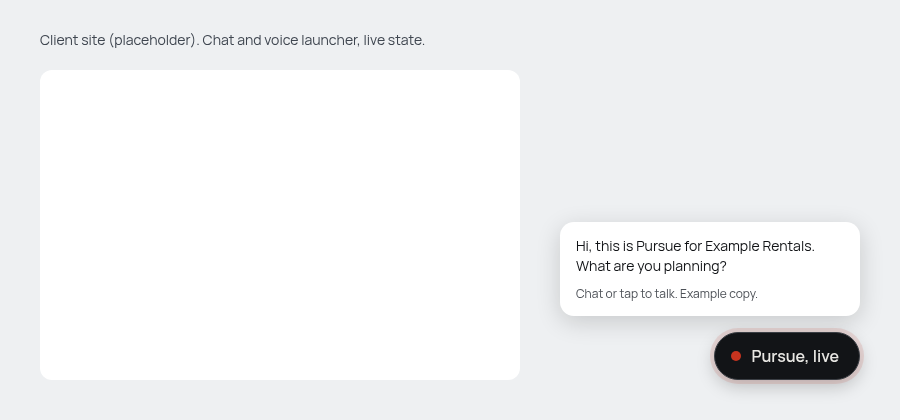
Capture
Every call, chat, and text becomes a lead, at any hour.
02
Qualify
Captures the contract details and checks fit before your team spends a minute.
Transcript
Caller: We need units for a wedding, about 180 guests.
Pursue: Got it. What date, and what ZIP is the venue in?
03
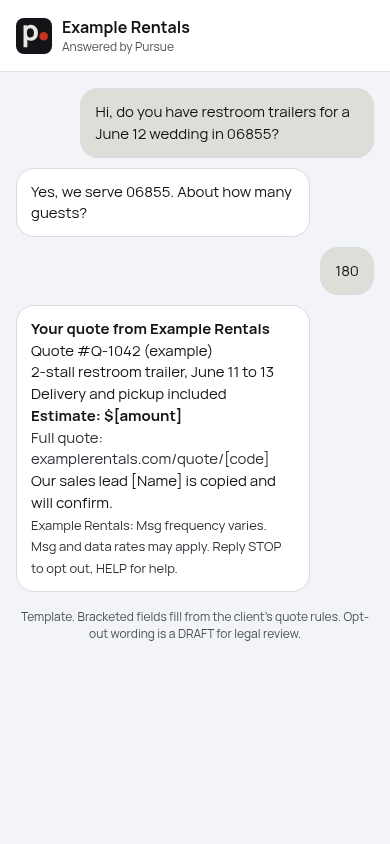
Quote
Sends the requested quote by text or email to the customer, and copies your head of sales.
04
Book
Puts the appointment on your calendar.
Calendar confirmation
Site visit, Thu 9:00 AM. Added to your calendar.
05
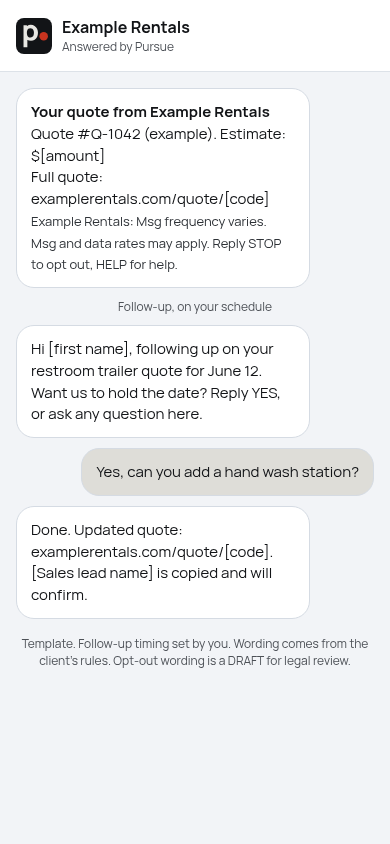
Follow up
Follows up by SMS and email, on the schedule you set.
06
Log
Logs the lead, the quote, and the conversation to your CRM.
Every channel.
Phone.
Calls become leads, at any hour.
Website chat.
Visitors get an answer on your site.
Text.
Texts get a reply and a quote.
See a lead captured.
Click AI Ted to try our voice and chat assistant and watch a lead get captured and quoted.